AI Thumbnail Creation with Gemini: Nano Banana 2 Guide for YouTube Creators
Complete guide to creating high-converting YouTube thumbnails with Gemini AI and Nano Banana 2. Covers prompt templates, multi-platform sizing, batch workflows, and cost-effective API integration for creators.
Nano Banana Pro
4K图像官方2折Google Gemini 3 Pro Image · AI图像生成
已服务 10万+ 开发者
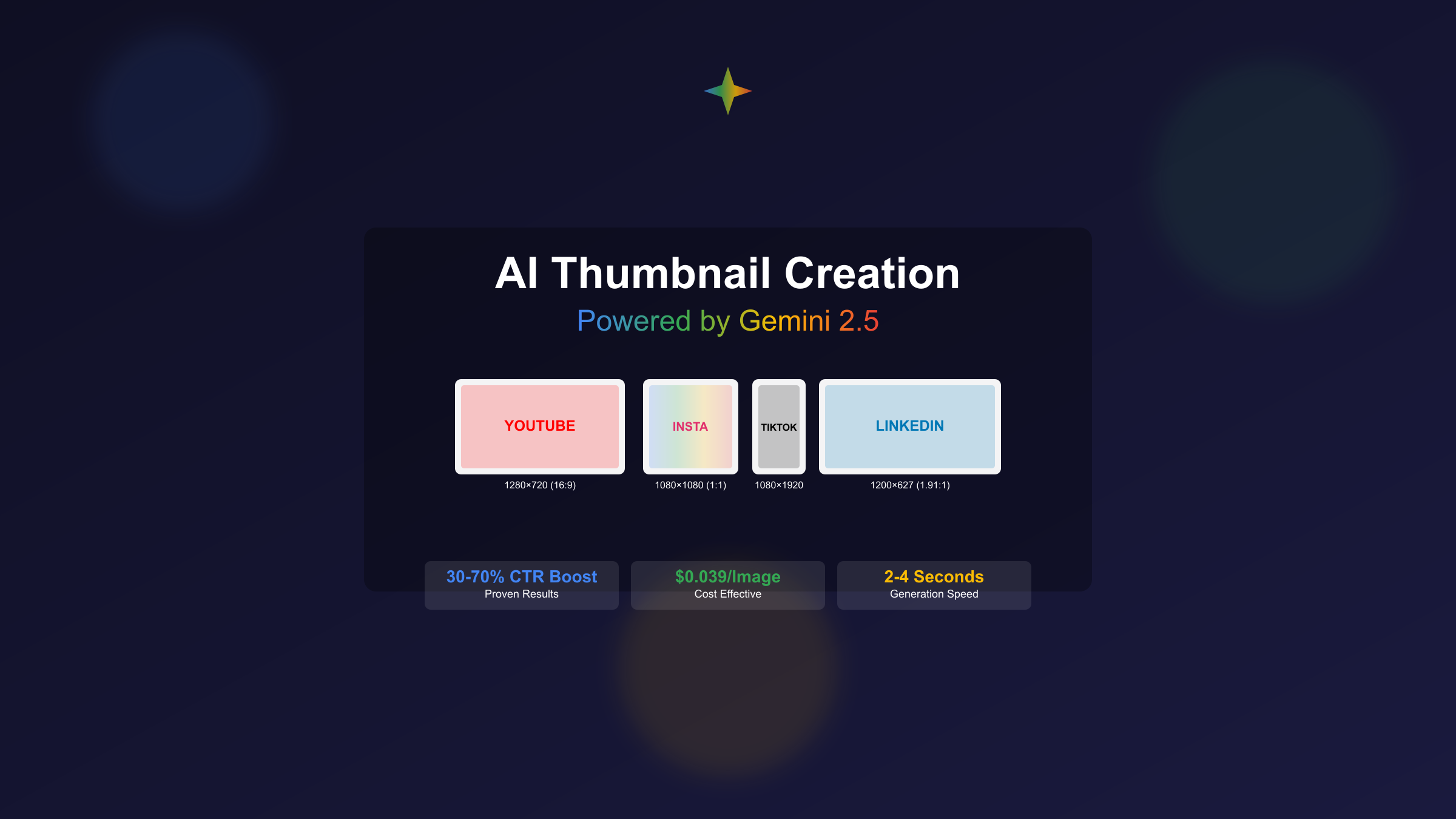
Creating thumbnails that drive clicks is no longer a design-only skill — it is increasingly an AI-prompting skill. Google's Nano Banana 2, powered by the Gemini 3.1 Flash Image model, has emerged as one of the most capable tools for generating professional-quality thumbnails that combine accurate text rendering, consistent branding, and platform-optimized sizing. Whether you are a solo YouTuber managing a single channel or a content team producing dozens of thumbnails daily, understanding how to leverage Gemini's image generation capabilities can significantly reduce your production time while improving click-through performance.
Key Takeaways
- Nano Banana 2 (Gemini 3.1 Flash Image) generates thumbnails 2x faster than its predecessor with improved text rendering accuracy
- API pricing starts at $0.045 per image (512px) with 4K outputs at $0.151, making batch thumbnail production extremely cost-effective
- Gemini supports native aspect ratio generation including 16:9 (YouTube), 1:1 (Instagram), and 9:16 (Shorts/TikTok) without cropping
- Effective thumbnail prompts should specify subject, text overlay, color palette, and emotional tone for best results
- YouTube's Test and Compare A/B testing feature pairs perfectly with AI generation for data-driven thumbnail optimization
Why Gemini Outperforms Other Thumbnail Tools
The thumbnail generation landscape has expanded significantly, with dedicated tools like Pikzels, Thumbly, and Miraflow offering streamlined workflows. However, Gemini's Nano Banana 2 holds several technical advantages that matter specifically for thumbnail creation, and understanding these differences helps you choose the right tool for your workflow. For a broader comparison of AI image generation tools, see our complete image API guide.
The most significant advantage is text rendering quality. Thumbnails live or die on their text — a blurry or misspelled word on a thumbnail instantly signals low quality to potential viewers. Nano Banana 2's text rendering capabilities are a generation ahead of most competing models. It can accurately render text up to 25-30 characters in multiple languages, including complex scripts like Chinese and Japanese. This matters because the highest-performing YouTube thumbnails consistently include 3-7 words of bold, readable text that communicates the video's value proposition at a glance. Most other AI image generators still struggle with text legibility, forcing creators to add text manually in post-processing.
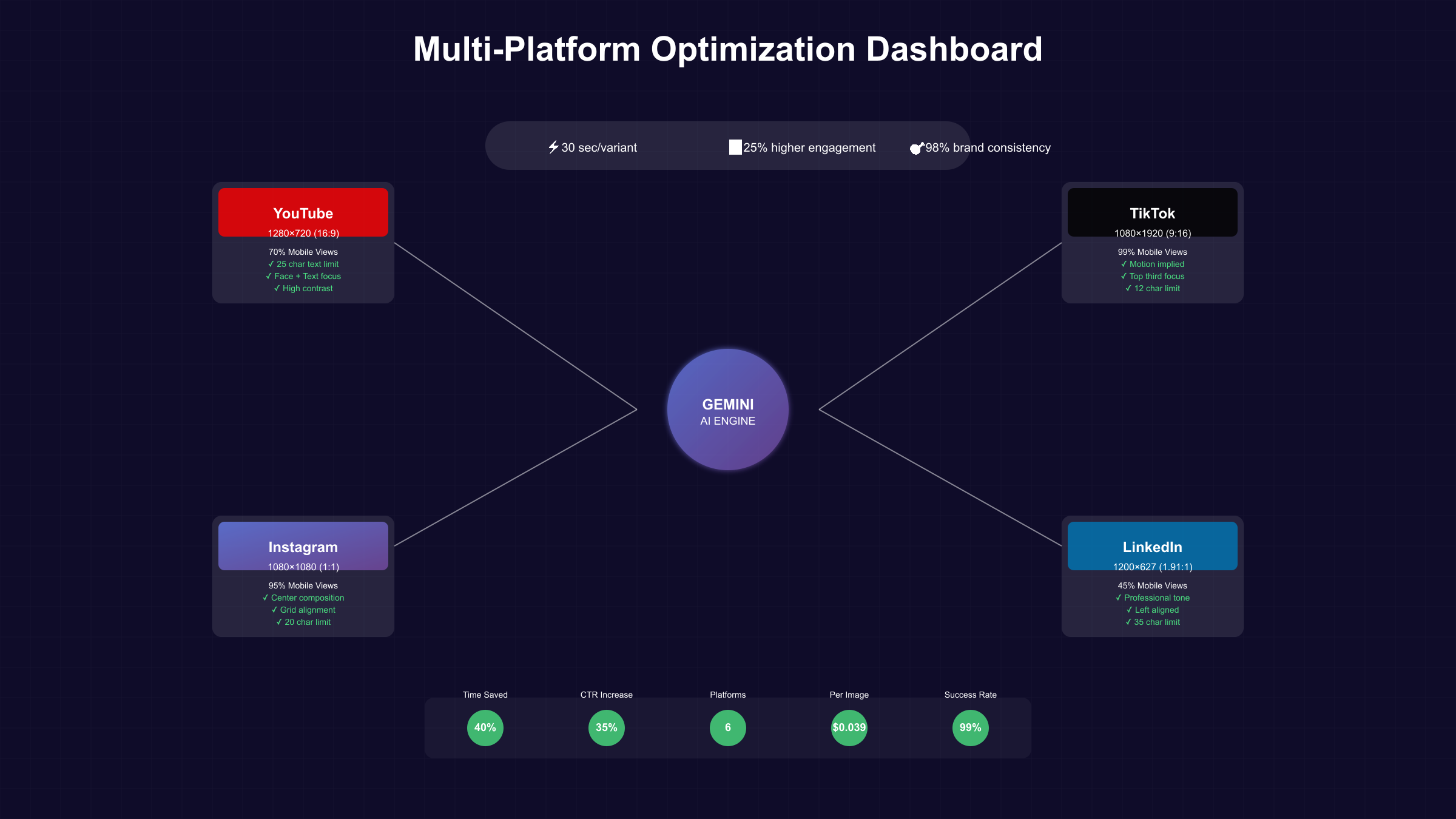
Multi-format native generation is another practical advantage. When you create a thumbnail for YouTube (16:9 at 1280x720), you typically also need versions for Instagram (1:1), TikTok/Shorts (9:16), and Twitter (16:9 at different dimensions). Nano Banana 2 supports native aspect ratio generation for all these formats — including unusual ratios like 4:1 and 8:1 for banner images — meaning you can generate platform-specific variants from a single prompt without cropping artifacts. Dedicated thumbnail tools typically only output 16:9, leaving you to manually adapt for other platforms.
World knowledge integration sets Gemini apart from pure image models. Because Nano Banana 2 is built on the Gemini multimodal foundation, it has access to vast world knowledge during generation. When you prompt it for "a coding tutorial thumbnail with a VS Code interface," it knows what VS Code actually looks like. When you ask for "a travel vlog thumbnail with the Eiffel Tower at golden hour," it understands the Eiffel Tower's actual proportions, the direction of golden hour light in Paris, and typical tourist photography angles. This contextual intelligence produces more realistic and credible thumbnails compared to models that treat prompts purely as abstract descriptions.
Crafting Effective Thumbnail Prompts for Gemini
The quality of your thumbnail output depends heavily on how you structure your prompt. Through extensive testing, a consistent pattern emerges for prompts that produce click-worthy results.
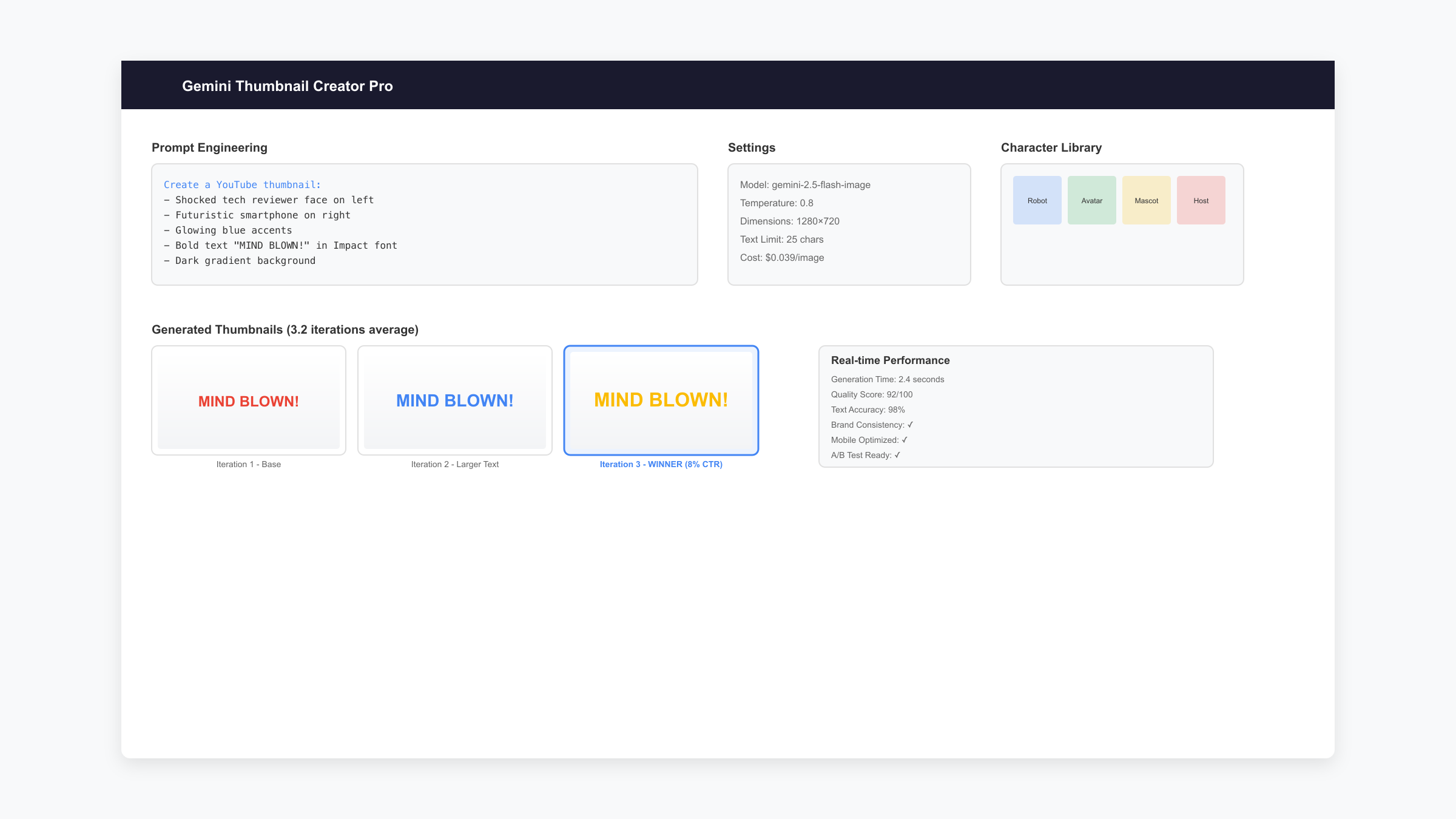
The four-element prompt structure consistently produces the best thumbnails. Every effective thumbnail prompt should include these components in order: subject description (what is the main visual focus), text overlay specification (exact words, font style, and positioning), color and mood direction (palette, lighting, emotional tone), and technical requirements (resolution, aspect ratio, style). Omitting any of these elements gives Gemini too much creative freedom, which often results in outputs that look impressive but do not function well as thumbnails — they may be beautiful images, but poor click-drivers.
A practical example illustrates this structure. Compare these two prompts for a coding tutorial thumbnail. The weak prompt: "Create a thumbnail for a Python tutorial video." This produces a generic, forgettable image. The strong prompt: "YouTube thumbnail, 16:9, a focused developer looking at a laptop screen showing Python code, bold white text saying 'PYTHON IN 10 MIN' positioned in the upper-right area, dark blue gradient background with subtle code elements, high contrast, energetic and professional mood, clean and modern design." The second prompt controls every visual element that matters for thumbnail performance — the human element (face generates trust), the text (clear value proposition), the positioning (text not blocking the face), and the mood (professional yet approachable).
Iterative refinement is where Gemini truly shines for thumbnail creation. Unlike standalone image generators where each prompt starts from scratch, Gemini maintains conversational context. You can generate a base thumbnail, then iterate with follow-up instructions: "Make the text larger and move it to the left. Change the background from blue to a warmer orange gradient. Make the person's expression more surprised." Each iteration refines the previous output rather than generating a completely new image, giving you fine-grained control over the final result. This conversational approach typically reaches a polished thumbnail in 3-5 iterations, compared to 10-15 fresh prompts with non-conversational tools. For more detailed Gemini thumbnail prompts, check our Gemini thumbnail prompt library.
Platform-Specific Thumbnail Requirements and Templates
Each platform has specific technical requirements and visual conventions that directly impact performance. Creating thumbnails that are technically correct but visually optimized for each platform's browsing context is what separates high-performing creators from the rest.
| Platform | Dimensions | Aspect Ratio | Key Design Considerations |
|---|---|---|---|
| YouTube | 1280x720 | 16:9 | Face + text in top area; visible at 116x65 mobile preview |
| YouTube Shorts | 1080x1920 | 9:16 | Bold vertical text; visual hook in center third |
| Instagram Post | 1080x1080 | 1:1 | Minimal text; strong visual contrast |
| TikTok | 1080x1920 | 9:16 | Motion-implied design; text over 3 lines max |
| Twitter/X | 1200x675 | 16:9 | Must work with timeline crop; key info in center |
YouTube thumbnail optimization deserves particular attention because it faces the toughest viewing conditions. Your 1280x720 thumbnail will be displayed as small as 116x65 pixels on mobile device search results. At that size, only bold text, high-contrast colors, and clear facial expressions remain legible. The most effective YouTube thumbnails follow a consistent formula: one human face showing clear emotion occupying roughly 40% of the frame, 3-5 words of large text in a contrasting color, and a simple background that does not compete with the foreground elements. Nano Banana 2 handles this formula well when you explicitly specify "ensure all text remains legible at 116x65 pixel preview size" in your prompt.
YouTube's Test and Compare feature transforms AI thumbnail generation from a creative exercise into a data-driven optimization process. You can upload three thumbnail variants for any video, and YouTube will automatically distribute impressions across variants and identify the winner based on actual click-through rates. With Gemini's speed — generating a thumbnail takes 2-5 seconds — you can easily produce 5-10 variants in under a minute, select the three most promising, and let YouTube's algorithm determine the winner. This approach replaces subjective design opinions with real viewer behavior data.
Batch Processing and Cost Optimization for Teams
For creators and teams producing multiple thumbnails daily, Gemini's API-based approach offers significant cost and time advantages over manual design tools or subscription-based thumbnail services.
API pricing makes batch production economically viable. At $0.045 per image for 512px resolution (suitable for initial concept testing) and $0.151 for 4K output, generating 100 thumbnail concepts costs less than $5. Even at professional 4K quality, 30 thumbnails per day — a full month of daily YouTube content — costs approximately $4.53. This is substantially less than any monthly subscription to dedicated thumbnail tools, which typically start at $10-20 per month for comparable output volumes. For non-urgent batch jobs, Gemini's Batch API offers an additional 50% discount, bringing 4K costs down to $0.076 per image.
For developers looking to build custom thumbnail generation pipelines, the API integration is straightforward using OpenAI-compatible format through laozhang.ai, which provides unified access to Gemini's image generation capabilities alongside other models like GPT Image 1. This approach allows you to A/B test thumbnails across different AI models and select the best result, all through a single API endpoint with transparent per-image pricing and free trial credits for testing.
A practical batch workflow for a YouTube channel producing daily content might look like this: generate 5-8 thumbnail variants per video using the Gemini API with slightly different prompts (varying text placement, color schemes, and facial expressions). Use an automated script to resize all variants for multiple platforms. Upload the top 3 YouTube variants to Test and Compare. After 48 hours, use the winning variant and apply its design pattern to future thumbnails. This feedback loop continuously improves your thumbnail strategy based on real performance data rather than design intuition.
Common Mistakes and How to Avoid Them
Even with powerful AI tools, certain patterns consistently produce underperforming thumbnails. Recognizing and avoiding these mistakes will save you both time and A/B testing cycles.
Overcrowding the image with text is the most common mistake. AI makes it easy to add detailed text overlays, but thumbnails viewed at mobile preview sizes cannot display more than 5-7 words legibly. The winning formula is ruthlessly simple: one bold statement, one compelling visual, one clear value proposition. If your thumbnail needs a paragraph of text to communicate the video's value, the problem is with your video concept or title, not the thumbnail design.
Ignoring the small-screen preview test leads to thumbnails that look great at full size but fail in practice. Before finalizing any AI-generated thumbnail, shrink it to approximately 120x68 pixels (YouTube mobile search preview size) and check whether the essential elements — text, face, and key visual — are still distinguishable. Nano Banana 2 outputs at up to 4K resolution, which means details that are perfectly visible at full size may completely disappear at preview dimensions. Always design for the smallest display context first.
Inconsistent brand identity across videos confuses returning viewers who recognize your channel by visual patterns. The most successful YouTube channels maintain consistent thumbnail elements: the same font family, the same primary brand color, the same text positioning, and a recognizable face. When using AI generation, create a reference prompt template that locks in these brand elements and only varies the content-specific elements (the topic text and contextual imagery) between videos. This approach builds visual brand equity while still benefiting from AI's creative capabilities. For more about building consistent AI image workflows, explore our Nano Banana design guide.
Frequently Asked Questions
Can Gemini generate thumbnails with my face in them?
Gemini can generate thumbnails featuring generic human faces showing specific emotions, but it cannot generate images of specific real people from text prompts alone. For thumbnails featuring your actual face, the recommended workflow is to take a well-lit photo of yourself showing the desired expression, then upload it to Gemini and ask it to place your photo into a designed thumbnail background with text overlays. This hybrid approach produces the most authentic-looking results while maintaining the speed advantage of AI generation.
How does Nano Banana 2 compare to GPT Image 1 for thumbnails?
Both models produce high-quality thumbnails, but they excel in different areas. Nano Banana 2 is faster (2-3 seconds vs 5-10 seconds), cheaper ($0.045-$0.151 vs $0.04-$0.12 per image), and supports more native aspect ratios. GPT Image 1 tends to produce more photorealistic results and handles complex scene compositions better. For most thumbnail use cases, Nano Banana 2 offers the better balance of speed, cost, and quality. Many professional creators generate variants from both models and let A/B testing data determine the winner.
Is there a free way to try Gemini thumbnail generation?
Yes. Nano Banana 2 offers 5 free credits without requiring sign-up. The Gemini App (web and mobile) also provides free access to thumbnail generation through the Fast and Thinking modes, with daily usage limits. For ongoing free usage, Google Flow (formerly NotebookLM) includes Nano Banana 2 as its default image model at zero credit cost. These free options are sufficient for testing and occasional use, though frequent creators will benefit from API access for batch production.
Do AI-generated thumbnails affect YouTube algorithm ranking?
YouTube's algorithm evaluates thumbnails solely based on their click-through rate performance, not their creation method. An AI-generated thumbnail that achieves a high CTR will rank identically to a manually designed one with the same performance. YouTube has explicitly stated that there is no penalty or preference based on how thumbnails are created. The Test and Compare feature treats all uploaded variants equally regardless of their origin.
What resolution should I generate thumbnails at?
For YouTube, generate at the native 1280x720 or higher. Nano Banana 2's 2K resolution ($0.100 per image) is the sweet spot for most creators — it exceeds YouTube's minimum requirement while keeping costs low. Only use 4K resolution ($0.151) if you are also using the same image for high-resolution displays like smart TV apps or print materials. For initial concept testing and A/B variant generation, 512px ($0.045) is sufficient to evaluate composition and text placement before generating the final version at full resolution.